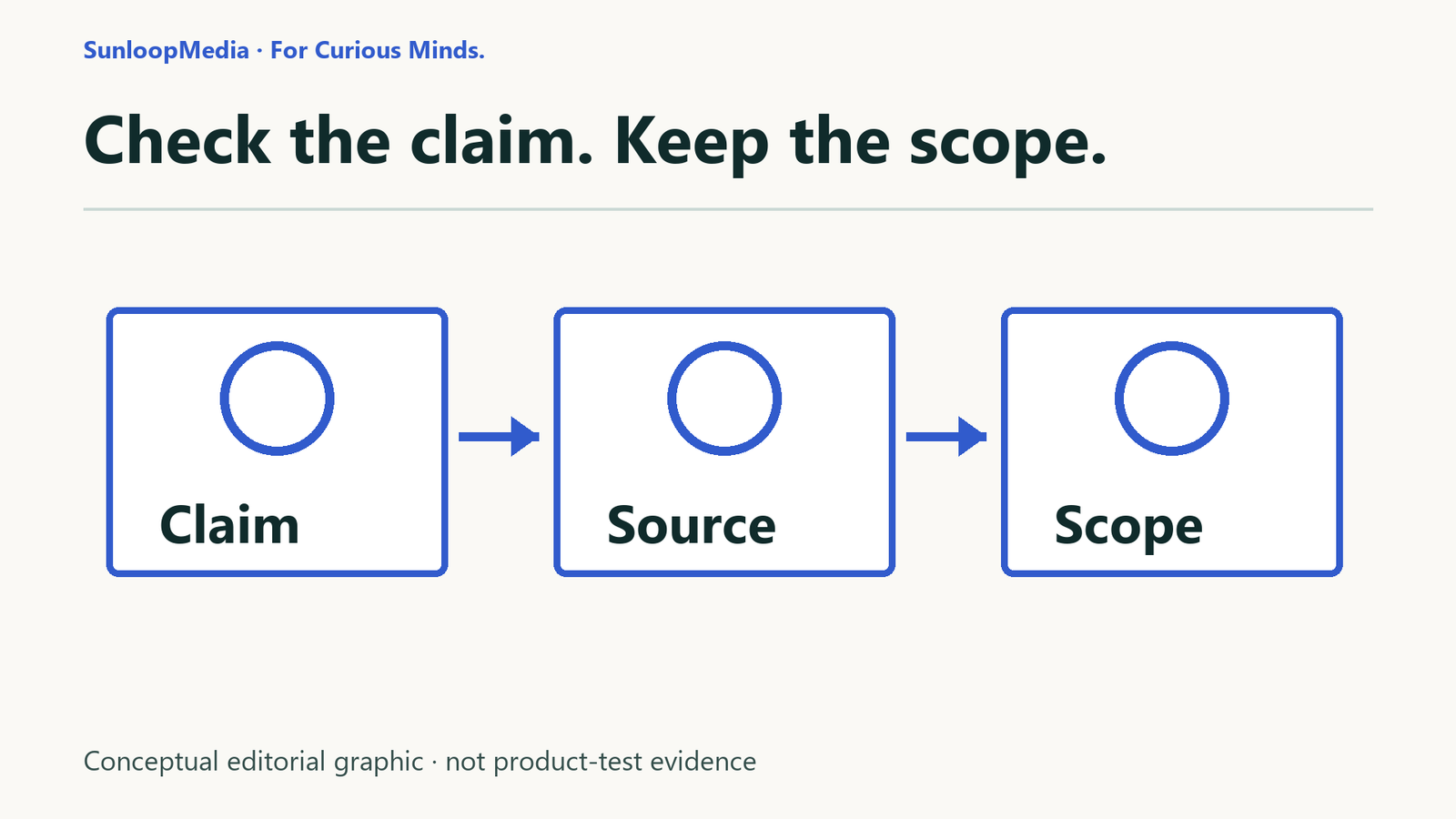
You have an AI-generated answer, a few links and one sentence you might repeat in a report. Before using it, pick the sentence that matters most. Can you show what supports it—and where that support stops?
This guide gives you a small claim-check record you can use in a notes app or on paper. The aim is a decision about one statement, not a confidence score for an entire answer. You do not need an AI account to try the teaching example.
1. Pick one claim and the decision behind it
Copy the exact sentence before editing it. Start with a fact you would act on: a date, number, product requirement, instruction or source attribution. Circle words such as “all,” “always” and “only.” Keep any conditions that narrow the claim.
If a sentence makes two promises, split it. “This works on a CPU and needs no internet” contains separate hardware and connectivity claims. A source supporting one does not settle the other. Write down why the answer matters; that helps you decide how much checking is enough.
2. Open the source, not just the citation
Follow the reference and check the publisher and document title. Is it the document the answer names? Find the relevant section yourself. A working URL, a search snippet or another AI summary is a lead, not the passage you need.
For a product requirement, start with the current official documentation. For a claim about observed performance, look for the actual test and its method. If the source is missing, inaccessible or unrelated, record that gap rather than inventing support.
3. Match the passage to the claim
Record a heading or page and a short phrase you can find again. Read the surrounding paragraph, including conditions and exceptions. Then compare it with the exact claim: same feature, version, date, location and kind of result?
A source saying a feature can work under certain conditions does not establish that it works everywhere. A statement about model hardware does not establish offline access or privacy. Keep those questions in separate records.
4. Decide whether another source is needed
Ask what remains unsupported. Official documentation can establish what its publisher documents; it does not independently prove every real-world outcome. For disputed claims or decisions with meaningful consequences, seek evidence that answers the same question through a separate basis, such as an independent test with a stated method.
Two pages copying the same announcement are not two separate observations. If you do not seek independent support, write “not sought” and why. If you cannot find it, write that too. Neither answer should quietly become “verified.”
5. Choose a result and keep the reason
- Supported within scope: the evidence backs the statement under the conditions you recorded.
- Contradicted: relevant evidence conflicts with the statement. Keep the conflicting detail visible.
- Partly supported: only part is supported. Split the sentence and label each part where possible.
- Cannot verify: the evidence is missing, inaccessible, insufficient or does not answer this question. This does not automatically mean false.
These are SunloopMedia worksheet labels, not probabilities or a scientific accuracy scale. Choose a label only after writing the reason. Conflicting sources or unresolved version differences may leave the result at “Cannot verify.”
6. Rewrite only what the evidence supports
Keep the original statement alongside your correction. Replace broad wording with the documented conditions. Do not swap “all models need an NPU” for “every model works on a CPU.” If you still cannot establish the point, leave it out or say what remains unknown.
For instructions you plan to follow, source checking is only one part. Where safe and appropriate, try a disposable, non-sensitive example and record the actual result. Stop if the procedure needs sensitive information, a purchase or a change you cannot safely undo.
Try the teaching example
Constructed teaching statement—not a captured AI response
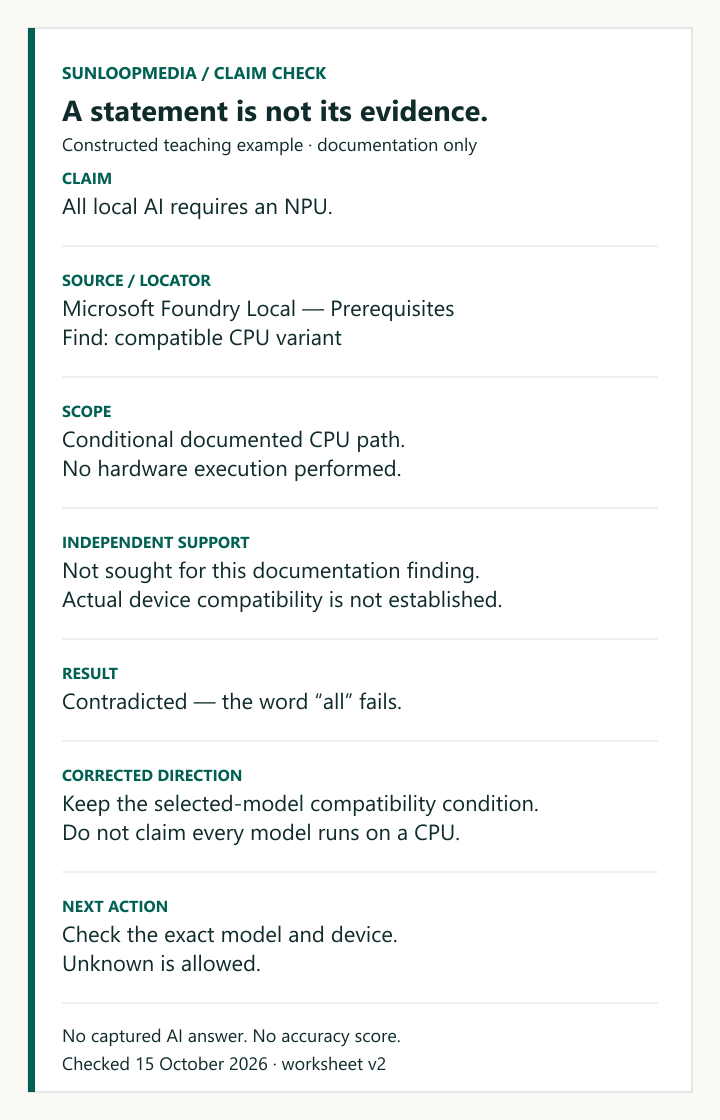
“All local AI requires an NPU.” SunloopMedia wrote this statement for the exercise. We did not obtain it from a model, and it is not evidence of an AI error rate.
Here is how to check it without installing software:
- Copy the claim and underline all. The question is whether an NPU is universally required, not whether it might help a particular model.
- Open Microsoft’s Foundry Local prerequisites. Find Prerequisites, then look for compatible CPU variant. If the wording has changed, stop and reassess the example.
- Record the condition: the documented Windows SDK has a CPU-compatible path for an appropriate selected model. Device, model and execution-provider limits still matter.
- Choose Contradicted for the universal statement, based on that documented counterexample. This is a documentation finding, not an observed hardware result.
- Use bounded wording: Microsoft documents a Foundry Local path that does not require an NPU when the selected model has a compatible CPU variant. Whether your chosen model works on your own machine remains unverified.
For this narrow question about documented requirements, we did not seek an independent hardware test. A compatibility or performance decision would need evidence for the exact model and device. No software was installed or run for this example.
Use the claim-check worksheet
Copy the fields below into a note and fill in one record per claim. On a phone, keep them as a vertical list rather than squeezing them into a wide table. The blank text file contains the same prompts; it is not a form and sends nothing to SunloopMedia.
Open the blank claim-check worksheet (plain text, 1467 bytes). Or copy the same fields below.
SunloopMedia claim check
One factual claim. One traceable decision.
- Exact claim
Copy one factual statement, including words such as all, always or only. - Decision
What will you do differently if this claim is wrong? - Source
Publisher, document title and URL. Write “not found” if none is available. - Passage locator
Heading or page plus a short find phrase. Summarize what it actually says. - Scope and date
Relevant product, version, place and conditions; date you checked. Unknown is allowed. - Independent support
Needed? Why? Record a separately grounded source, or “not sought” and the limit. - Result and reason
Supported within scope / Contradicted / Partly supported / Cannot verify. Explain why. - Corrected wording
Keep the conditions. If unresolved, say what you cannot establish. - Next action
Use within scope, check another source, test safely, omit, or seek qualified help.
What this walkthrough does—and does not—show
NIST’s Generative AI Profile describes confidently incorrect output and recommends checking sources and citations in its risk-management context. That supports the reason to check. It does not certify this worksheet or tell us how often any particular AI answer is wrong.
See NIST AI 600-1, section 2.2 and action MS-2.5-003. The method above is SunloopMedia’s own editorial workflow, not a NIST procedure.
An AI agent followed this source-reading exercise twice, starting the repeat with a blank record. The first attempt led us to clarify passage locators, “not sought” support and the four result labels. The repeat produced the same bounded documentation finding. Additional constructed statements exercised the other result labels. This was not an independent human reader test, a hardware test or validation across different tasks.
Finish with one usable decision
Take the one sentence you intended to use and complete its record. You should be able to show the exact claim, source, passage, scope, result and corrected wording. If a gap still matters to the decision, your next action is to check that gap—not to make the sentence sound more certain.
Sources and evidence
- NIST: Generative Artificial Intelligence Profile (AI 600-1, final July 2024) 2026-10-15
Section 2.2 frames confidently incorrect generation; MS-2.5-003 addresses source/citation checks. MS-2.5-001 cautions about narrow assessments. This does not validate our worksheet.
- Microsoft: Get started with Foundry Local — Prerequisites 2026-10-15
Documents a conditional compatible CPU model path. Used to check the constructed universal-NPU statement, not to establish actual hardware behavior.
Editorial record
Testing status: Research / documentation based
AI-assisted research and writing. An AI agent followed the source-reading exercise with synthetic statements and recorded the results. No independent human reader test, captured AI answer, software execution, hardware test or accuracy benchmark. Owner editorially accepted; draft only, not publication approved.
SunloopMedia Editorial
Published by SunloopMedia Editorial. Sources, testing state and material corrections are recorded above.
Suggest a correctionSelect the link and copy it using your keyboard or device menu.
Keep exploring